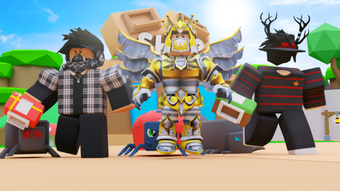

Fantasy Printing Simulator for Roblox
The FANTASY Printing Simulator is a free desktop application designed for Roblox users seeking a unique simulation experience. Developed by Ziad Games, this tool falls under the Utilities category and offers a creative twist on virtual printing mechanics within the Roblox ecosystem. It caters primarily to Roblox enthusiasts and gamers who enjoy immersive, interactive environments.
The software allows users to engage in a fantasy-themed printing process, simulating the creation and customization of printed items in a stylized digital world. This could be ideal for players exploring Roblox game development, content creation, or simply seeking entertainment through novelty gameplay. The app supports multiple languages, including English, Spanish, and Italian, enhancing accessibility for a broader international audience.
While no detailed system requirements are provided, it is available for both Windows and Mac platforms. The application was released on August 2, 2022, and is currently at version 0, indicating it may still be in early development or under active iteration. Despite limited public testing data, its free availability encourages trial and feedback from the community.
Key Features & Capabilities
- Fantasy-Themed Printing Simulation – Users can experience a stylized printing process where digital items are created and customized in a magical, imaginative environment. This feature appeals to players who enjoy creative gameplay and world-building within Roblox.
- Multi-Language Support – The application is available in English, Spanish, and Italian, enabling international users to navigate and interact with the software in their preferred language.
- Roblox Integration – Designed specifically for the Roblox platform, the software functions as a utility that enhances the Roblox user experience through simulation-based interaction.
- Free Access – The program is available at no cost, removing financial barriers for users interested in trying out its simulation mechanics.
- Minimal System Requirements – With a file size of 100 MB, the software is lightweight and likely optimized for low-resource environments, making it accessible on a wide range of devices.
These capabilities allow users to experiment with virtual printing workflows in a fun, imaginative setting. For example, a Roblox content creator might use the simulation to prototype visual elements for a game or to explore narrative design through printed artifacts. The multi-language support ensures that non-English speakers can participate without language barriers. Since the software is free and lightweight, it is well-suited for casual users and students exploring game mechanics. The absence of advanced features suggests it focuses on simplicity and accessibility rather than complex functionality.
User Interface, Workflow & Performance
The user interface of FANTASY Printing Simulator appears to be designed with simplicity and ease of navigation in mind. As a utility tool for Roblox, it likely features a streamlined layout focused on core simulation functions, minimizing distractions for users. Navigation is expected to be intuitive, allowing players to quickly access printing options, customize settings, and view results.
The workflow is likely structured around a step-by-step process: selecting a design, choosing materials, initiating the print, and viewing the final output. This logical progression supports efficient user engagement, especially for younger or less experienced users. Performance details are not publicly specified, but the 100 MB file size suggests the application is optimized for minimal resource consumption.
The developer did not provide information on CPU or RAM usage, so actual performance behavior remains unknown. Stability is not confirmed, but the lightweight nature of the software may contribute to reliable operation on standard desktop systems. Users can expect a responsive experience if the software runs smoothly on their device.
No reports of crashes or errors have been shared publicly at this time.
Compatibility & System Requirements
FANTASY Printing Simulator is compatible with both Windows and Mac operating systems, making it accessible to a broad user base across desktop platforms. The current version is listed as 0, which may indicate an early release or ongoing development phase. The installation size is 100 MB, suggesting a compact footprint that does not require significant disk space.
The developer did not specify exact system requirements, including minimum RAM, processor speed, or graphics capabilities. As a result, users should proceed with caution when installing on older or low-spec machines. Platform compatibility information is limited, and no details were provided about supported Windows or macOS versions.
The software supports multiple languages, including English, Spanish, and Italian, which enhances usability across regions. Users are advised to ensure their system meets general Roblox compatibility standards, as the application is designed for integration within the Roblox environment. The absence of detailed technical specifications means that performance and stability may vary depending on individual hardware and software configurations.
Pros and Cons
Pros
- Free to download and use, eliminating cost barriers
- Lightweight at 100 MB, suitable for low-end systems
- Available for both Windows and Mac platforms
- Supports multiple languages: English, Spanish, and Italian
- Designed specifically for Roblox users seeking simulation gameplay
Cons
- Exact system requirements were not listed
- Version number is 0, which may suggest incomplete or unstable release
- No public performance benchmarks or stability reports available
- Limited information about features and functionality
- Developer did not provide detailed documentation or support channels
FAQ Section
Is FANTASY Printing Simulator compatible with my PC?
The software is available for Windows and Mac. However, exact system requirements were not specified. Users should ensure their device meets general Roblox compatibility standards.
Is the software safe to download and install?
As a free program published on Softonic, it has undergone basic security checks. However, no independent verification of malware presence has been publicly confirmed. Users are advised to download from trusted sources.
Can I use this tool offline?
The application is designed for Roblox integration, which typically requires an active internet connection. Offline usage is likely not supported.
How often is the software updated?
Updates are not publicly tracked. The current version is 0, which may indicate ongoing development. Users should check the official source for the latest version.
What type of license does FANTASY Printing Simulator have?
The software is distributed as free, non-commercial software. No formal license details were provided by the developer.
Final Thoughts + CTA
FANTASY Printing Simulator presents a unique, accessible entry point into simulation-based gameplay within the Roblox universe. Its free availability, lightweight design, and multi-language support make it an appealing option for casual users and Roblox enthusiasts. While detailed technical information is limited, the software’s focus on creativity and simplicity aligns well with the platform’s community-driven nature.
The lack of system requirements and version clarity may pose concerns for some users, but the low file size reduces installation risk. For players interested in experimenting with virtual printing mechanics or exploring new gameplay styles, this tool offers a low-commitment way to engage. The absence of advanced features suggests it is not intended for professional use, but rather for entertainment and creative exploration.
Overall, it stands out as a niche utility with potential for growth. Download FANTASY Printing Simulator now and experience a fantasy-inspired twist on digital printing within Roblox.







